Windows 10 and 11
- Download the
-setup.exefile. - Run it. It needs no administrator rights.
- Click the tray icon, paste a share code, and switch to your game.
The installer is unsigned, so SmartScreen may warn you the first time.
Scorpio draws a CS2-based crosshair in its own window over your game. It shows the crosshair only while a game is in front, and it never opens, reads, hooks or injects into the game or its anti-cheat.
Version 0.1.0 · Windows installer, Linux AppImage and .deb · Free for non-commercial use
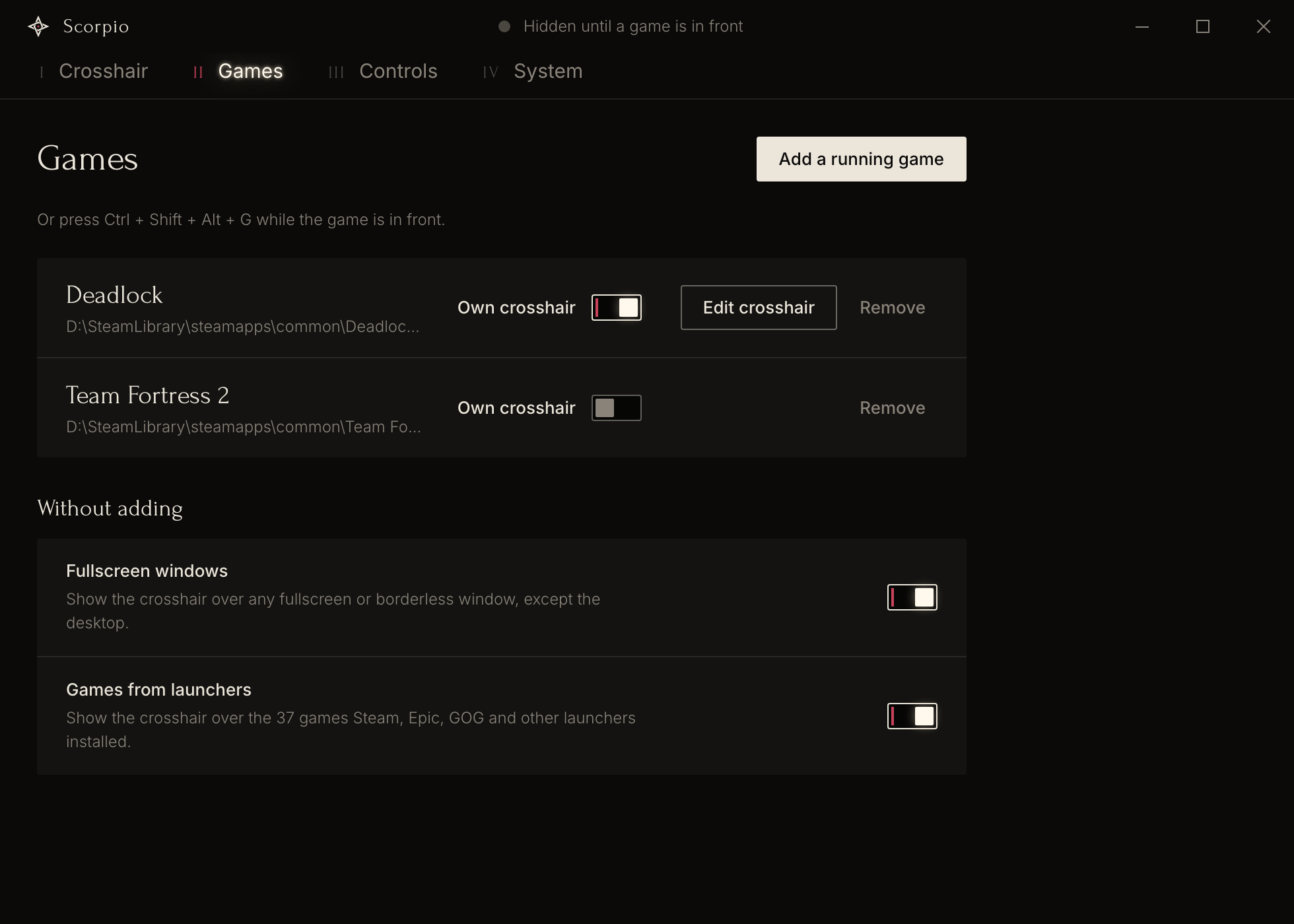
The crosshair appears when a game is the window in front and disappears when you switch away. A game is a window you added, any fullscreen window, or a game from a launcher such as Steam, Epic Games or GOG.
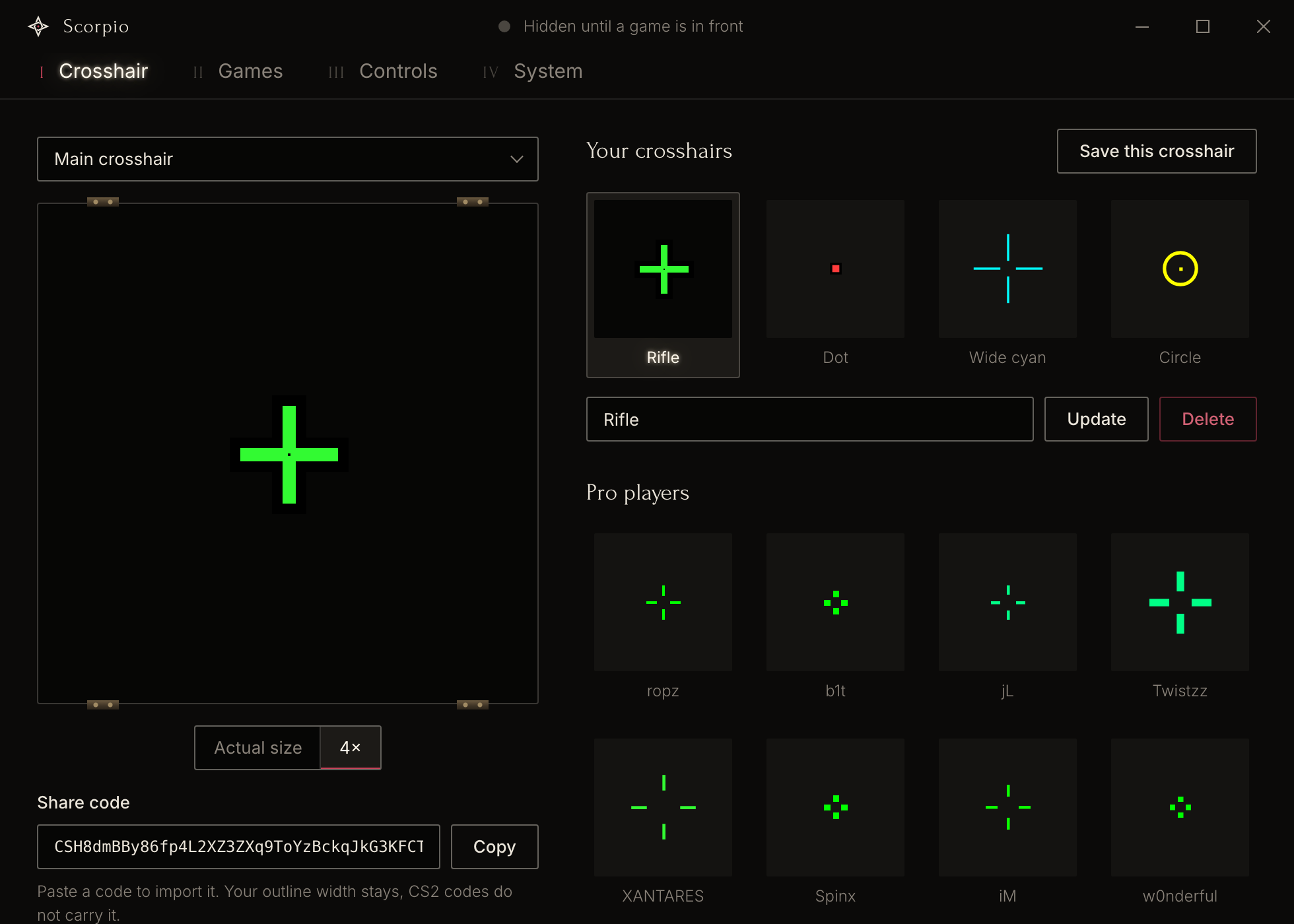
Paste a share code to import a crosshair, and Copy to export yours. You get five static styles, thickness in half steps, an outline of 1 to 6 pixels, 13 pro player crosshairs and a crosshair per game.
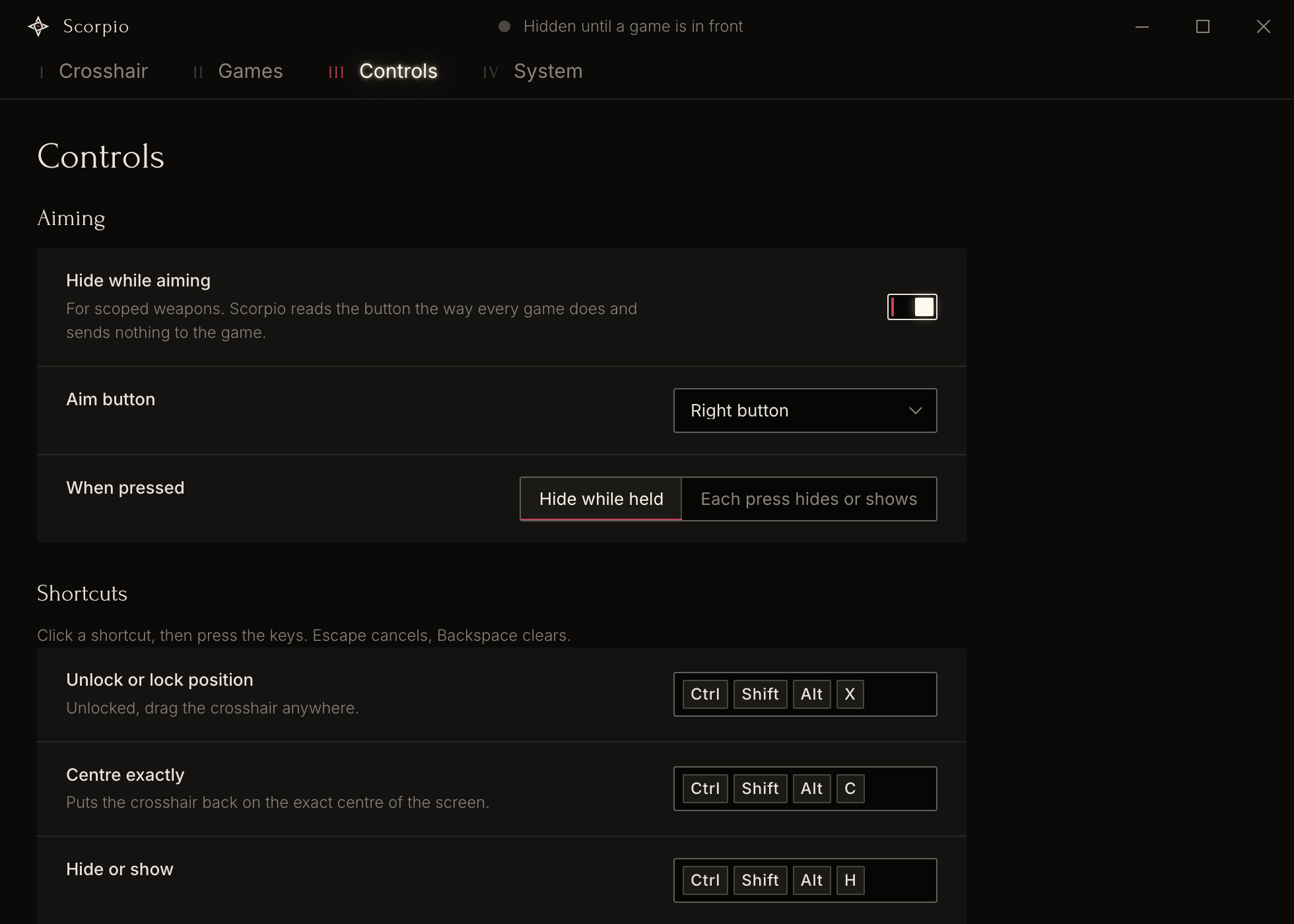
Scorpio hides the crosshair while you hold the aim button, or on each press. It reads the button through raw input and sends nothing to the game. Global shortcuts lock, centre, hide and switch the crosshair, and add the game in front.
Game Capture records only the game, so add Scorpio to OBS as a Browser source.
http://127.0.0.1:47117/obs.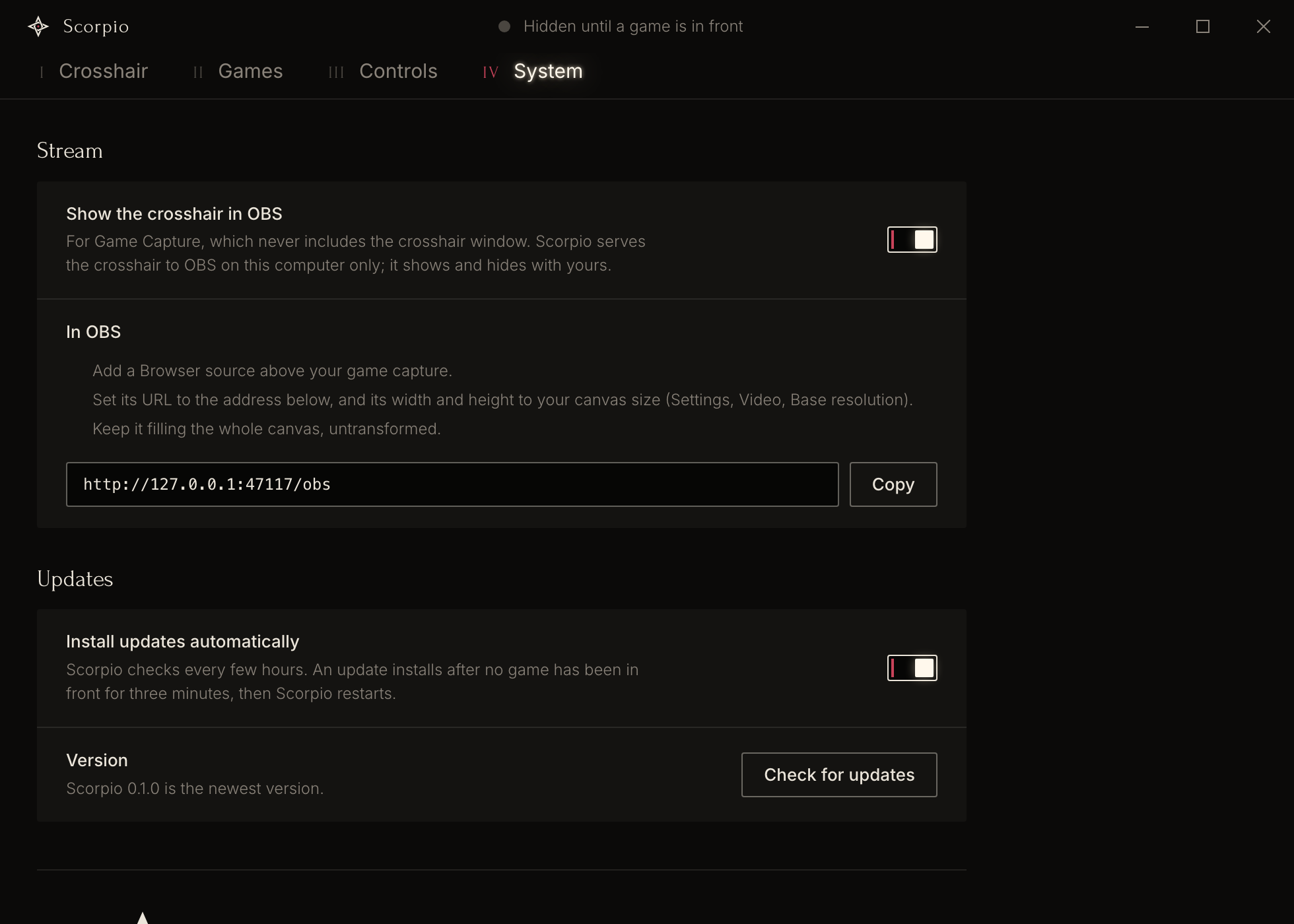
Scorpio never opens another process, reads or writes its memory, injects code, installs a hook, sends synthetic input, loads a driver, or draws into the game's frames. No anti-cheat vendor has reviewed or approved it. The table lists every system call it makes.
| Need | Windows | Linux (X11) | Why it stays outside the game |
|---|---|---|---|
| Which window is in front | SetWinEventHook, out of context | _NET_ACTIVE_WINDOW events | Nothing is loaded into another process |
| Title, class and size of the window | GetWindowTextW, GetClassNameW, GetWindowRect | Window manager properties | No process is opened |
| Path of the program | NtQuerySystemInformation | /proc/<pid>/exe | No process handle is opened |
| Aim button and hide key | Raw Input on Scorpio's own window | XInput2 raw events | No hooks |
| Shortcuts | RegisterHotKey | XGrabKey | The standard shortcut API |
| The crosshair | A layered, topmost, click-through window | An override-redirect ARGB window | Nothing is drawn into the game |
| Crosshair in OBS, opt-in | HTTP server on 127.0.0.1:47117 | The same | Your own computer only |
Leave Hide from screen capture off. Cheat overlays use the same Windows call, so an anti-cheat could take a closer look at Scorpio.
Measured on Windows 11 with a release build. A check fails if a figure grows by more than 25 %.
Get the files from the latest release.
-setup.exe file.The installer is unsigned, so SmartScreen may warn you the first time.
.AppImage, or the .deb for Debian and Ubuntu.sudo apt install ./Scorpio_*.deb.Native Wayland windows are not supported.
No overlay can promise that you will never be banned. Scorpio never reads or changes the game, but no anti-cheat vendor has approved it, and a game's rules can forbid external crosshairs.
Nobody has tested it against them yet, and none of these vendors has approved it.
Yes. Paste the code into Share code on the Crosshair tab, and Copy gives you a code back. A dynamic crosshair shows in its static resting style.
Yes, with X11 or XWayland, but it is less tested there than on Windows. Native Wayland windows are not supported.
With OBS Display Capture, yes. With Game Capture, follow the OBS steps on this page.
If the title bar says "Hidden by shortcut", press the hide shortcut again. Otherwise add the game on the Games tab, or switch the game from exclusive fullscreen to borderless.
Scorpio does not touch the game or its input. Its effect on the frame rate has not been measured yet.
No. It has no telemetry and no account, and it goes online only to check for and download updates from GitHub.
Version 0.1.0 on 21 November 2026. The screenshots show the real settings window with sample data.
| Area | State |
|---|---|
| Crosshair maths, share codes, game matching | Unit tests |
| Windows build | Run and measured on Windows 11 |
| Inside a real game | Not tested yet |
| Linux | Virtual X server only |
| OBS | Local server tested, OBS not yet |
| Automatic updates | Not yet run against a release |
| Any anti-cheat | Not tested |